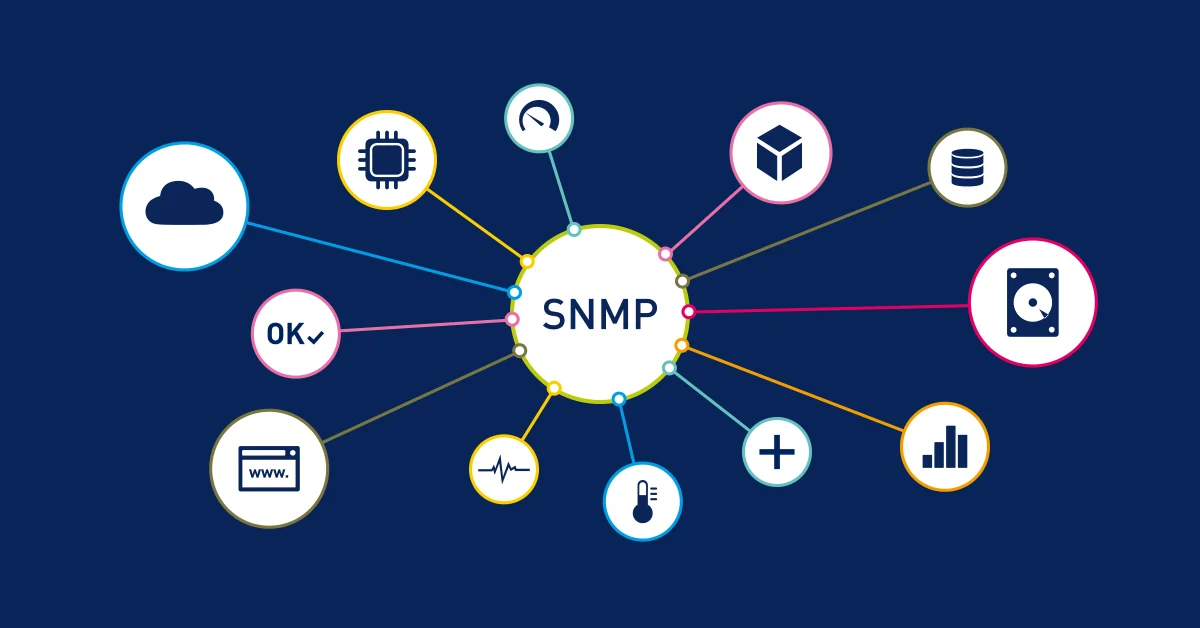
A switch running at full capacity, a disk filling up, a failing power supply in a UPS. To know before the users do, devices need a way to say how they are doing. Since the late 1980s, that has been the job of SNMP.
The protocol is everywhere: switches, routers, firewalls, servers, printers, UPS units, server room air conditioners. It is also often badly configured, with a public community lying around and a version that sends everything in clear text.
This article starts from the beginning: how it works, the data, the three versions and their differences, then configuration and security.
What SNMP is for
SNMP stands for Simple Network Management Protocol. It does two things.
- Read the state of a device: interface traffic, CPU load, temperature, disk space, port status
- Receive alerts: the device reports on its own when a link goes down or a fan stops
In theory, it can also change the configuration. In practice, it is almost never used for that, and there are good reasons to forbid it.
The architecture: manager, agent and MIB
Three parts work together.
- The manager: the monitoring server (Zabbix, LibreNMS, Centreon). It asks the questions and receives the alerts
- The agent: a small service running on the monitored device. It answers the questions and sends the alerts
- The MIB: the catalogue of information the agent can provide
Exchanges go over UDP.
| Port | Direction | Use |
|---|---|---|
| UDP 161 | manager to agent | requests and responses |
| UDP 162 | agent to manager | alerts (traps and informs) |
UDP gives no delivery guarantee. A lost request is simply sent again by the manager after a timeout. A lost alert, however, is gone for good. We will come back to this.
OIDs and the MIB
A tree of numbers
Each piece of information has a unique identifier, the OID (Object Identifier). OIDs form a worldwide tree, managed by standards bodies.
iso (1)
 └─ org (3)
     └─ dod (6)
         └─ internet (1)
             ├─ mgmt (2)
             │   └─ mib-2 (1)          Standard MIB: 1.3.6.1.2.1
             │       ├─ system (1)
             │       └─ interfaces (2)
             └─ private (4)
                 └─ enterprises (1)    Vendor MIBs: 1.3.6.1.4.1
                     ├─ cisco (9)
                     └─ mikrotik (14988)
A few OIDs you meet every day:
| Name | OID | Content |
|---|---|---|
| sysDescr.0 | 1.3.6.1.2.1.1.1.0 | system description |
| sysUpTime.0 | 1.3.6.1.2.1.1.3.0 | time since the agent started |
| sysName.0 | 1.3.6.1.2.1.1.5.0 | device name |
| ifDescr | 1.3.6.1.2.1.2.2.1.2 | name of each interface |
| ifOperStatus | 1.3.6.1.2.1.2.2.1.8 | actual state of each interface |
| ifHCInOctets | 1.3.6.1.2.1.31.1.1.1.6 | bytes received, 64-bit counter |
The final .0 refers to the single instance of a simple value. For a table, the last number is the row index: ifDescr.3 is the name of interface number 3.
The MIB
A MIB is a text file that describes part of the tree: the name of each OID, its type, its access rights and its meaning. It lets you write IF-MIB::ifDescr instead of 1.3.6.1.2.1.2.2.1.2.
There are two families:
- standard MIBs, described in RFCs, such as MIB-II (RFC 1213) or IF-MIB (RFC 2863). Every device understands them
- vendor MIBs, under
enterprises. Each manufacturer stores its own information there: temperature of Cisco modules, state of MikroTik tunnels
The agent does not need the MIB files to work. They are for the manager and for humans, to translate numbers into names.
Data types
| Type | Use |
|---|---|
| INTEGER | an integer value, or an encoded state (1 = up, 2 = down) |
| OCTET STRING | text or raw bytes |
| Counter32 / Counter64 | a counter that only goes up |
| Gauge32 | a value that goes up and down |
| TimeTicks | a duration in hundredths of a second |
| IpAddress | an IPv4 address |
Counter or gauge: the difference that breaks graphs
A gauge gives a direct value. A temperature of 42 means 42.
A counter only climbs. ifInOctets is 8,734,501,223: that is the total number of bytes received since startup, which says nothing about current traffic. To get a throughput, the manager reads the counter twice and divides the difference by the elapsed time.
throughput = (value2 - value1) / (time2 - time1)
The trap comes from 32-bit counters. They top out at 2^32, about 4.3 billion, then start again from zero. On a saturated 1 Gbit/s interface, ifInOctets wraps around in 34 seconds. At 10 Gbit/s, in 3.4 seconds.
If the manager polls every five minutes, it cannot know how many times the counter wrapped between two readings. The graph becomes wrong without warning. The solution is to use the 64-bit counters from the ifXTable table: ifHCInOctets and ifHCOutOctets. HC stands for High Capacity. They do not exist in SNMPv1.
Same logic for sysUpTime: in hundredths of a second over 32 bits, it goes back to zero after 497 days. A device that seems to have rebooted may simply have passed that mark.
Operations
SNMP messages are called PDUs (Protocol Data Units).
| PDU | Version | Role |
|---|---|---|
| GetRequest | v1 | read one or more specific values |
| GetNextRequest | v1 | read the next OID in the tree |
| SetRequest | v1 | change a value |
| Response | v1 | the agent's answer |
| Trap | v1 | alert sent without acknowledgement |
| GetBulkRequest | v2c | read many values at once |
| InformRequest | v2c | alert with acknowledgement |
| Report | v3 | internal exchanges of the v3 security layer |
Walking a table
GetNext lets you walk a branch you do not know in advance. You ask for the next OID, then the one after, until you leave the branch. That is what the snmpwalk command does.
The drawback: one network round trip per value. On a 48-port switch, reading ten columns of the interface table takes almost 500 exchanges.
GetBulk, added in v2c, solves the problem. The manager asks for "the next 50 values" in a single message. It is the same idea as the N+1 problem in an ORM: group the reads instead of doing them one by one.
Polling or being notified
There are two ways to learn what is going on.
- Polling: the manager queries each device at regular intervals, usually between one and five minutes. It is reliable and it feeds the graphs
- Alerts: the device reports as soon as an event happens. It is immediate, but only for the events the agent knows about
A trap leaves over UDP without acknowledgement. If the packet is lost, nobody will know. An inform, added in v2c, waits for an acknowledgement and is sent again if it does not get one.
In practice, you combine both. Alerts bring reactivity, polling catches what they missed.
The three versions
SNMPv1
The first version was published in 1988, then revised in 1990 in RFC 1157. It sets the whole foundation: manager, agent, MIB, Get, GetNext, Set and Trap.
Its security fits in one word: the community. It is a plain string sent with each request, like a shared password. It travels in clear text on the network. Anyone able to listen to the traffic reads it with Wireshark.
Default values make things worse: public for reading, private for writing, on thousands of devices that were never reconfigured.
Other limits: no 64-bit counters, and basic error handling. If a request asks for ten OIDs and just one does not exist, the whole request fails.
SNMPv2c
The history of v2 is a bit chaotic. A first SNMPv2, published in 1993, offered an ambitious security model. It was so complex that almost nobody implemented it. Several competing variants followed, then consensus was reached in 1996 on the simplest one: SNMPv2c.
The "c" stands for community-based. v2c keeps the security of v1, with the community in clear text, and brings the protocol improvements.
- GetBulk to read tables much faster
- Inform for alerts with acknowledgement
- Counter64 for 64-bit counters, essential beyond 100 Mbit/s
- Better errors: a missing OID returns an exception for that variable only (
noSuchObject,noSuchInstance,endOfMibView), instead of failing the whole request
It is still the most deployed version today, because it is easy to configure. Its security, however, has not improved since 1988.
SNMPv3
Published in 2002 in RFCs 3411 to 3418, v3 keeps the v2c operations and completely replaces the security. It relies on two models.
USM (User-based Security Model, RFC 3414) replaces the community with real users. Each user has:
- an authentication protocol: HMAC with MD5 or SHA-1 originally, then the SHA-2 family (SHA-224 to SHA-512) added by RFC 7860 in 2016
- an encryption protocol: DES originally, then AES-128 added by RFC 3826 in 2004
- two passwords, one for each protocol
Three security levels are possible:
| Level | Authentication | Encryption | Use |
|---|---|---|---|
| noAuthNoPriv | no | no | avoid, barely better than a community |
| authNoPriv | yes | no | data travels in clear text |
| authPriv | yes | yes | the only level to use |
Authentication guarantees the message really comes from this user and was not modified. Encryption guarantees nobody can read it on the way.
Two mechanisms complete the picture:
- the engineID: a unique identifier per agent. Keys are derived from the password and this identifier. The same password therefore gives a different key on each device. A key stolen from one router is useless on the next one
- the timeliness window: each message carries the number of agent reboots and its clock. A message older than 150 seconds is rejected. Replaying a captured packet therefore does not work
VACM (View-based Access Control Model, RFC 3415) decides what each user is allowed to see. You define views, meaning branches of the tree, then groups of users with their rights on these views. The monitoring server reads everything, the inventory tool only sees the system branch.
Comparison
| v1 | v2c | v3 | |
|---|---|---|---|
| Year | 1988 to 1990 | 1996 | 2002 |
| Identification | community | community | user |
| Authentication | none, the community travels in clear text | none, the community travels in clear text | HMAC MD5, SHA-1, SHA-2 |
| Encryption | no | no | DES, AES |
| 64-bit counters | no | yes | yes |
| GetBulk | no | yes | yes |
| Inform | no | yes | yes |
| Per-variable errors | no | yes | yes |
| Fine-grained access control | no | no | yes (VACM) |
MD5 and DES are now considered weak. Choose SHA (ideally SHA-256 if your devices support it) and AES.
Querying a device with Net-SNMP
Net-SNMP provides the reference command-line tools. On Debian or Ubuntu, they are in the snmp package.
With v2c
# One specific value: the system description
snmpget -v2c -c MyCommunity 192.168.1.1 SNMPv2-MIB::sysDescr.0

# The same OID, in numeric form
snmpget -v2c -c MyCommunity 192.168.1.1 1.3.6.1.2.1.1.1.0

# A whole branch: the name of each interface
snmpwalk -v2c -c MyCommunity 192.168.1.1 IF-MIB::ifDescr

# The same with GetBulk, 50 values per exchange
snmpbulkwalk -v2c -c MyCommunity -Cr50 192.168.1.1 IF-MIB::ifTable
With v3
snmpget -v3 -l authPriv \
    -u monitoring \
    -a SHA -A 'AuthenticationPassword' \
    -x AES -X 'EncryptionPassword' \
    192.168.1.1 SNMPv2-MIB::sysUpTime.0
-l sets the security level. -a and -A give the authentication protocol and password. -x and -X give the encryption protocol and password. v3 passwords must be at least 8 characters long.
If names like IF-MIB::ifDescr are not recognised, the MIB files are missing. On Debian, they come with the snmp-mibs-downloader package. Numeric OIDs work in every case.
Configuring SNMPv3
In all three examples, we create a read-only user monitoring, with authentication and encryption, reachable only from the monitoring server 192.168.10.5.
On Linux with Net-SNMP
sudo apt install snmpd libsnmp-dev

# The user creation tool requires the service to be stopped
sudo systemctl stop snmpd

sudo net-snmp-create-v3-user -ro \
    -a SHA -A 'AuthenticationPassword' \
    -x AES -X 'EncryptionPassword' \
    monitoring

sudo systemctl start snmpd
-ro grants read-only access. On Debian and Ubuntu, the tool comes from the libsnmp-dev package.
By default, the agent only listens on the local machine (agentaddress 127.0.0.1,[::1]). To open it to the network, replace that line in /etc/snmp/snmpd.conf:
# Listen on every interface, over UDP
agentaddress udp:161

# Remove or comment out the rocommunity and rwcommunity lines:
# no v1 or v2c community should remain active
Then restrict access to port 161 to the monitoring server only, with the firewall:
sudo nft add rule inet filter input ip saddr 192.168.10.5 udp dport 161 accept
sudo nft add rule inet filter input udp dport 161 drop
These two rules assume an inet filter table with an input chain, as in the default nftables configuration on Debian. Typed like this, they disappear on reboot: to keep them, add them to /etc/nftables.conf.
On Cisco IOS
! The view: what the user is allowed to read
snmp-server view READONLY iso included

! Only the monitoring server can query
ip access-list standard SNMP-MONITORING
 permit 192.168.10.5

! The v3 group: authentication and encryption required (priv)
snmp-server group MONITORING v3 priv read READONLY access SNMP-MONITORING

! The user, attached to the group
snmp-server user monitoring MONITORING v3 auth sha AuthenticationPassword priv aes 128 EncryptionPassword
One trap catches everyone the first time: SNMPv3 users do not appear in show running-config. Passwords are turned into keys as soon as they are entered. To check, use show snmp user.
On MikroTik RouterOS
/snmp community
add name=monitoring addresses=192.168.10.5/32 security=private \
    authentication-protocol=SHA1 authentication-password=AuthenticationPassword \
    encryption-protocol=AES encryption-password=EncryptionPassword \
    read-access=yes write-access=no

/snmp set enabled=yes
In RouterOS, the community name is used as the v3 username. security=private matches the authPriv level. Also remember to restrict or disable the public community created by default.
Security: the classic traps
Default communities. public and private are the first words a scanner tries. A device that answers to public gives away its network configuration, its interfaces and sometimes its ARP and routing tables.
Write access. With a write community, you can change the configuration, shut down an interface or, on some devices, download the full configuration. Monitoring does not need it. Read-only everywhere.
Exposure on the Internet. UDP port 161 must never be open on the Internet. Besides the information leak, SNMP is used for amplification attacks. The attacker sends a small GetBulk request while spoofing the victim's address, and the agent answers the victim with a much bigger response. Thousands of badly configured agents thus become traffic cannons.
v2c on a shared network. If v2c cannot be avoided (old device, limited tool), isolate SNMP traffic in a management VLAN and filter by source address.
Weak algorithms. MD5 and DES should no longer be used. SHA and AES are supported by every recent device.
v3 traps. For a v3 trap, it is the sender's engineID that is used to derive the keys. The receiver must therefore know the engineID of every device sending it traps. Informs do not have this problem, since the receiver's engineID is used. One more reason to prefer informs.
Tools built on SNMP
- Zabbix: full monitoring, with ready-made templates for most vendors
- LibreNMS: automatic network discovery and graphs with no configuration
- Centreon: a French solution, widely used in companies and public bodies in France
- Prometheus with snmp_exporter: to bring network devices into monitoring already based on Prometheus and Grafana
- GLPI: the network inventory of the GLPI agent discovers devices and their ports through SNMP
Is SNMP still relevant?
Large networks are gradually moving to streaming telemetry (gNMI). The manager no longer asks: the device pushes its data continuously, every few seconds. For configuration, NETCONF and RESTCONF replaced SetRequest long ago.
Yet SNMP remains the only language spoken by a ten-year-old switch, a UPS, a printer and a brand-new router alike. To monitor a mixed fleet of devices, it has no real competitor.
Good practice fits in three points: SNMPv3 in authPriv, read-only, and access limited to the monitoring server.
Further reading
- RFC 3411, the SNMPv3 architecture
- RFC 3414, the USM security model
- RFC 3415, VACM access control
- RFC 7860, the addition of SHA-2
- Net-SNMP, the tools and their documentation
- The LibreNMS documentation, to set up complete monitoring in an afternoon
One exercise to finish. Run snmpwalk -v2c -c public against a device on your network, with the agreement of the person in charge. If it answers, you have just found your first security task.
Comments (0)
Leave a comment
You can comment by entering your name and email. Your message will be published after moderation. With an account, it appears immediately and can still be edited.
No comments yet
Be the first to comment on this article!