Your application works well in development, you put it into production, the data arrives and a page that used to respond in fifty milliseconds now takes four thousand. Nothing changed in the code; the culprit is almost always the same. It is the N+1 problem.
It is the most common performance issue when using an ORM. It is also one of the easiest to fix. You still need to know how to spot it.
What the N+1 problem is
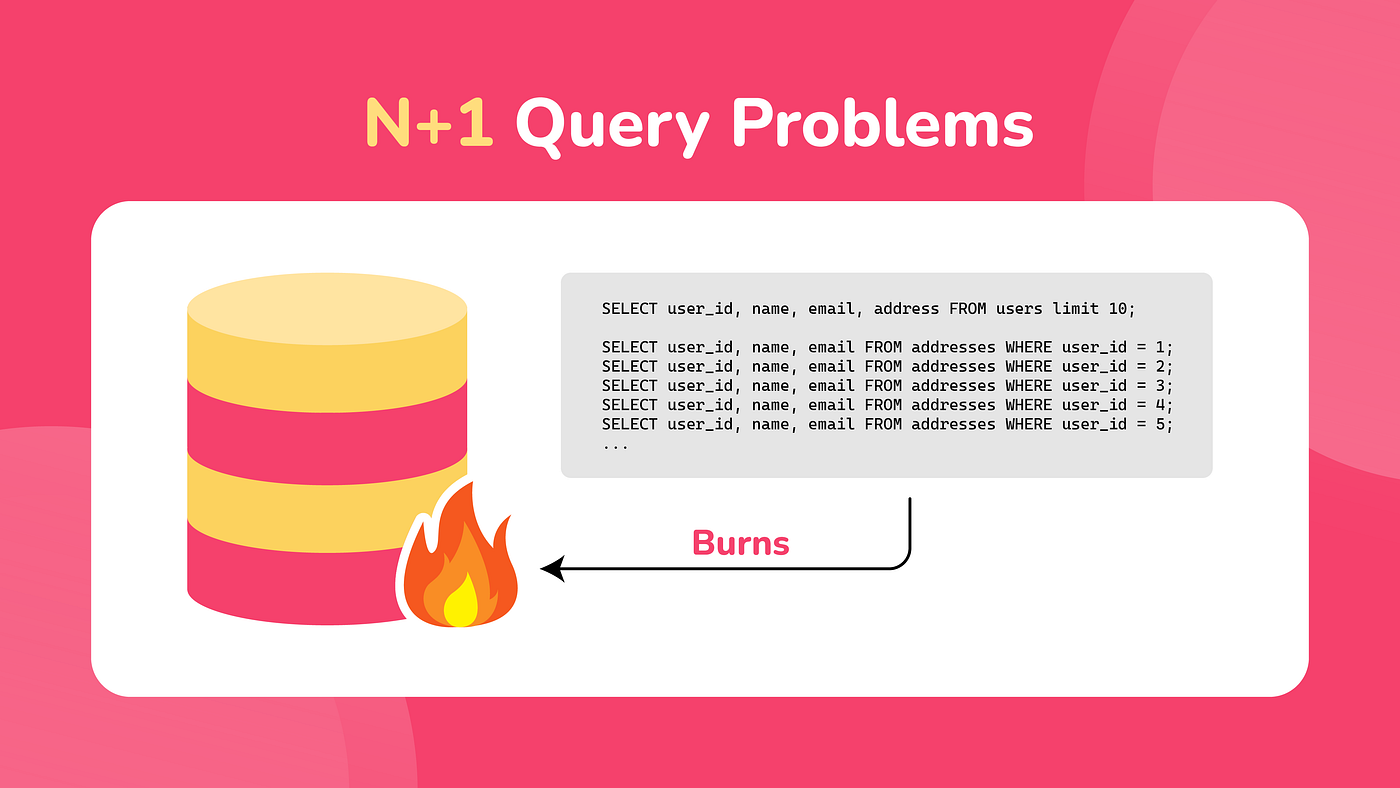
The name comes from the number of queries sent to the database. One query retrieves a list of N elements, then one additional query per element loads related data. Total: N + 1.
An example in Laravel.
$articles = Article::all();

foreach ($articles as $article) {
    echo $article->author->name;
}
Three lines that look harmless, but here is what actually goes to the database.
SELECT * FROM articles;

SELECT * FROM users WHERE id = 1;
SELECT * FROM users WHERE id = 2;
SELECT * FROM users WHERE id = 3;
-- et ainsi de suite
With ten articles, eleven queries. With one thousand articles, one thousand and one.
That is the trap! In development, your database contains ten test rows, the page responds instantly, the issue is invisible and only appears when the volume grows. In other words, in production.
Why ORMs produce this issue
It is not a bug. It is the direct consequence of lazy loading. An intentional mechanism.
An ORM cannot guess what you will need. If it loaded every relationship every time, the smallest query would bring back half the database. So it loads the main object and waits for you to request a relationship before fetching it.
$article = Article::find(1);
// One query on articles

$article->author;
// Second query, triggered by this access
On a single object, this behavior is fine. In a loop, it becomes a problem. Each iteration triggers its own round trip to the database.
The real cost is not actually SQL execution time. Each query costs a network round trip, processing by the database engine and a pass through the connection layer. With a remote database, one thousandth of a second per query becomes a full second after one thousand iterations.
Detecting it before production
In Laravel
The most direct approach is to make an error occur as soon as a relationship is loaded lazily.
// In AppServiceProvider::boot()
Model::preventLazyLoading(!app()->isProduction());
Outside production, every relationship that was not eager loaded throws a LazyLoadingViolationException. It is blunt but effective. You can no longer let the issue slip through.
If you prefer a version that does not break the page, log the issue instead of throwing an exception.
Model::preventLazyLoading(!app()->isProduction());

Model::handleLazyLoadingViolationUsing(function (Model $model, string $relation) {
    Log::warning('Relation chargée à la volée : ' . $model::class . '::' . $relation);
});
You can then open storage/logs/laravel.log and see exactly where your N+1 queries are.
To observe the actual SQL traffic:
DB::listen(function ($query) {
    Log::debug($query->sql, ['temps' => $query->time]);
});
Laravel Debugbar and Telescope also display the query count per page, with duplicates flagged.
In Spring Boot and Hibernate
Enable Hibernate statistics.
spring.jpa.properties.hibernate.generate_statistics=true
logging.level.org.hibernate.stat=DEBUG
On each transaction, Hibernate displays the number of prepared queries and the time spent. A gap between the number of entities and the number of queries is immediately obvious.
To see readable SQL:
spring.jpa.show-sql=true
spring.jpa.properties.hibernate.format_sql=true
Never leave these options enabled in production because the log volume would become unmanageable.
The datasource-proxy library goes further. It can make a test fail when the number of queries exceeds a certain threshold. This is the best way to prevent regressions.
Fixing it in Laravel
Eager loading
The basic solution is with().
$articles = Article::with('author')->get();

foreach ($articles as $article) {
    echo $article->author->name;
}
Two queries, regardless of the number of articles.
SELECT * FROM articles;
SELECT * FROM users WHERE id IN (1, 2, 3, 4, 5);
Eloquent collects the IDs, makes a single query with in, then associates the results in memory.
Nested relationships
// Article, its author, its comments and the author of each comment
$articles = Article::with('author', 'comments.user')->get();
Limiting columns
Loading the entire row just to display a name is wasteful.
$articles = Article::with('author:id, name, avatar')->get();
Beware of the trap. The foreign key must always be included in the list. Without id here, Eloquent cannot associate the author with the article, and the relationship comes back empty without any error.
Counting without loading
To display the number of comments, do not load the comments.
// Bad: loads all comments just to count them
$articles = Article::with('comments')->get();
$count = $article->comments->count();

// Good: the count is performed by the database
$articles = Article::withCount('comments')->get();
$count = $article->comments_count;
withCount adds a subquery to the main query. No unnecessary object is built on the PHP side.
The same variants exist for aggregates.
$articles = Article::withSum('comments', 'score')
    ->withAvg('ratings', 'value')
    ->withExists('comments')
    ->get();
Conditional eager loading
$articles = Article::with(['comments' => function ($query) {
    $query->where('is_approved', true)
        ->latest()
        ->limit(5);
}])->get();
Loading afterwards
When the collection already exists.
$articles = Article::all();

// Depending on the context
if ($needsAuthors) {
    $articles->load('author');
}
loadMissing() does the same thing while ignoring relationships that are already loaded.
Default eager loading
If a relationship is needed in almost every case.
class Comment extends Model
{
    protected $with = ['user'];
}
Use with caution. A relationship loaded every time makes all queries heavier, including those that do not need it. Keep this for truly essential relationships.
Fixing it with JPA and Hibernate
The principle is the same; the tools are different.
The default value trap
Critical point that is often overlooked. JPA does not have the same default behavior depending on the relationship type.
| Annotation | Default loading |
|---|---|
@OneToMany |
LAZY |
@ManyToMany |
LAZY |
@ManyToOne |
EAGER |
@OneToOne |
EAGER |
The last two lines are problematic: an EAGER @ManyToOne means that loading an entity also loads its parent every time, even when you do not need it. On an entity with several @ManyToOne relationships, a single read can trigger a cascade of joins.
Everyone recommends the same thing: make everything LAZY, then explicitly load what you need.
@Entity
public class Article {

    @ManyToOne(fetch = FetchType.LAZY)
    @JoinColumn(name = "author_id")
    private User author;

    @OneToMany(mappedBy = "article", fetch = FetchType.LAZY)
    private List<Comment> comments;
}
JOIN FETCH
The direct equivalent of Laravel's with().
@Query("""
    SELECT a FROM Article a
    JOIN FETCH a.author
    WHERE a.publishedAt IS NOT NULL
    """)
List<Article> findPublishedWithAuthor();
Pay attention to the difference between join and join fetch. A simple join is used for filtering; it does not load the relationship. Only join fetch brings it into memory.
Entity graphs
More flexible, they separate the query from the loading strategy.
@Entity
@NamedEntityGraph(
    name = "Article.withAuthorAndComments",
    attributeNodes = {
        @NamedAttributeNode("author"),
        @NamedAttributeNode("comments")
    }
)
public class Article { }
public interface ArticleRepository extends JpaRepository<Article, Long> {

    @EntityGraph(value = "Article.withAuthorAndComments")
    List<Article> findByPublishedAtIsNotNull();
}
The advantage is clear: the same method can have several loading strategies depending on the need without duplicating the query.
Batch loading
An intermediate solution, very effective and often overlooked.
spring.jpa.properties.hibernate.default_batch_fetch_size=25
Hibernate then groups lazy loads into batches. Instead of one hundred queries, it sends four with an in containing twenty-five IDs. We do not go from N+1 to 1; we go from N+1 to N/25 + 1. That is more than enough in most cases.
The @BatchSize annotation allows the same setting on a relationship-by-relationship basis.
DTO projections
The most performant solution when you only need to read.
public record ArticleSummary(Long id, String title, String authorName) { }
@Query("""
    SELECT new com.blog.dto.ArticleSummary(a.id, a.title, a.author.name)
    FROM Article a
    """)
List<ArticleSummary> findAllSummaries();
One query and only the columns you need. No entity managed by the persistence context. For a read-only list page, this is often the best choice.
Hibernate-specific pitfalls
Three classic errors that surprise everyone at least once.
MultipleBagFetchException
// Throws an exception at startup
@Query("""
    SELECT a FROM Article a
    JOIN FETCH a.comments
    JOIN FETCH a.tags
    """)
Hibernate refuses to load two List collections in the same query. The message is clear, but the cause is less obvious. An unindexed List keeps duplicates. Two joins would produce an ambiguous result.
Three solutions: replace List with Set, make two separate queries (the persistence context combines the results automatically), or put @BatchSize on the second collection.
The Cartesian product
Even with Set, two join fetch operations on collections produce a Cartesian product in the database. An article with twenty comments and five tags returns one hundred SQL rows. Hibernate deduplicates them in memory, but all one hundred rows still crossed the network.
In practice, use only one collection per query. The others should use @BatchSize or a separate query.
Pagination and JOIN FETCH
The HHH000104 warning is the most dangerous of all because the code still works.
@Query("SELECT a FROM Article a JOIN FETCH a.comments")
Page<Article> findAll(Pageable pageable);
Hibernate cannot apply limit in SQL. The join multiplies rows and a limit would cut collections in the middle. So it loads the entire table and then paginates in Java memory.
With one thousand articles, your page of twenty items loads one thousand. No error, just an application that collapses as soon as the volume grows.
The solution is to split the operation into two steps.
// 1. Retrieve the page IDs without a join
@Query("SELECT a.id FROM Article a ORDER BY a.publishedAt DESC")
Page<Long> findPageOfIds(Pageable pageable);

// 2. Load these entities with their collections
@Query("SELECT a FROM Article a JOIN FETCH a.comments WHERE a.id IN :ids")
List<Article> findAllWithCommentsByIds(@Param("ids") List<Long> ids);
The opposite extreme
Fixing an N+1 does not mean eager loading everything.
// Expensive and probably unnecessary
$articles = Article::with([
    'author.profile.settings',
    'comments.user.roles',
    'tags',
    'category.parent',
])->paginate(15);
If your view only displays the title and the author's name, everything else is wasted transfer and memory. A single large query can be slower than a few small ones.
The rule can be summed up in one sentence: eager load exactly what the view consumes, not what it might need someday. Eager loading responds to an observed need. It is not a precaution.
A working method
Four steps in this order.
Measure first: Count the number of queries on your page. In Laravel, Debugbar displays it. In Spring, Hibernate statistics provide it. Without measurement, you are optimizing blindly.
Make the issue visible: preventLazyLoading in Laravel, a query threshold in Spring tests. An issue reported by the tool can no longer silently come back.
Fix it in the right place: Eager loading is declared in the controller or repository, never in the view. A view should never trigger a query.
Verify afterwards: Count again. Going from one hundred and one queries to two is something you observe, not something you assume.
Comments (0)
Leave a comment
You can comment by entering your name and email. Your message will be published after moderation. With an account, it appears immediately and can still be edited.
No comments yet
Be the first to comment on this article!